Introduction
So, you’re ready to build your first website – maybe a portfolio, a blog, or even your first client project. You’ve picked a design, maybe even a domain name… but now you’re stuck on one crucial decision:
Which web hosting should you choose?
If you’re feeling confused, you’re not alone. For beginners, web hosting can seem like a maze of complicated terms, overwhelming options, and too-good-to-be-true prices. Should you choose shared hosting or cloud? What does “99.9% uptime” really mean? And is that $1.99/month deal actually legit?
Here’s the good news:
You don’t need to be a tech expert to choose the right hosting. You just need to understand what matters—and what doesn’t—when you’re starting out.
In this beginner’s guide, we’ll break down exactly:
- What web hosting is (in simple terms)
- Which hosting types you should consider (and which to skip)
- The must-have features for beginners
- What to avoid so you don’t get trapped in a bad plan
By the end of this article, you’ll know exactly what to look for, what to ignore, and how to confidently choose the best web hosting for your first website.
Let’s keep it simple—and get your site online the right way.
What Is Web Hosting (In Plain English)?
Let’s break it down without the jargon.
Every website you’ve ever visited—including the one you’re about to create—lives on a server. Think of a server as a special kind of computer that’s always connected to the internet, storing the files that make up your website: images, text, videos, and code.
When someone types your website address (like yourname.com) into their browser, that request goes to the server, and your website’s content is delivered instantly.
That’s what web hosting is:
A service that lets you store your website’s files on a server so people can access it anytime, from anywhere.
🏠 Real-World Analogy
Think of your website like a house:
- Web hosting is the land where your house is built.
- Your domain name is the address people use to find your house.
- Your website files (images, pages, blog posts) are like the furniture and walls.
Without land (hosting), your house (site) has nowhere to live. Without an address (domain), no one can find it.
🖥️ Hosting = Storage + Access
Here’s what your hosting provider does behind the scenes:
- Stores your site’s files on their servers
- Serves your site to visitors when they access your domain
- Protects your site with security features (like SSL and firewalls)
- Supports you with tools like email, backups, and CMS installers (like WordPress)
Why Hosting Isn’t Just “Tech Stuff”
Even though it sounds technical, web hosting has a huge impact on:
- How fast your site loads
- How secure it is
- Whether it stays online 24/7
- How easily you can grow your site
- The impression you make on clients or visitors
That’s why choosing the right host – especially as a beginner—is a decision that can save you hours of frustration later.
Key Types of Web Hosting (Explained Simply)
When you search for web hosting, you’ll find a dizzying list of options—shared, VPS, cloud, managed WordPress, and even dedicated servers.
The truth? As a beginner, you don’t need to know everything. But you do need to understand the main types of hosting so you can choose what fits your current goals—and grow from there.
Let’s break it down without the tech confusion:
🧩 1. Shared Hosting (Best for Most Beginners)
What it is:
You share one server with many other websites—like roommates sharing an apartment.
Pros:
✅ Cheapest option (often under $3/month)
✅ Beginner-friendly control panels (like cPanel)
✅ Good enough for personal sites, blogs, and small business pages
Cons:
❌ If one site on the server gets a traffic spike, your site might slow down
❌ Limited performance or storage if you grow quickly
Best for:
👩💻 First-time web designers, personal websites, low-traffic blogs
🚀 2. VPS Hosting (Virtual Private Server)
What it is:
You still share a server—but you get your own “private” slice with dedicated resources.
Pros:
✅ Better performance and speed
✅ More control and flexibility
✅ Scalable for bigger sites
Cons:
❌ Slightly more expensive (starting ~$10/month)
❌ Some technical know-how required
Best for:
🌱 Growing websites, multiple sites, or light eCommerce
☁️ 3. Cloud Hosting
What it is:
Your website runs on a network of servers (the cloud), not just one physical machine.
Pros:
✅ Scales automatically with traffic
✅ High uptime and reliability
✅ Great performance under heavy loads
Cons:
❌ Can be more expensive than shared hosting
❌ May be overkill for simple starter sites
Best for:
📈 Sites expecting growth or unpredictable traffic
🛠️ 4. Managed WordPress Hosting
What it is:
Hosting specifically optimized for WordPress websites—with automated updates, speed enhancements, and support tailored for WP.
Pros:
✅ Fast, secure, and hassle-free for WordPress
✅ No need to manage updates or caching plugins
✅ Beginner-friendly
Cons:
❌ Usually more expensive than regular shared hosting
❌ Only works for WordPress websites
Best for:
📝 Beginners who are sure they’ll only use WordPress
💼 5. Dedicated Hosting (Not for Beginners)
What it is:
You rent an entire physical server just for your site(s). High performance, full control, no sharing.
Pros:
✅ Ultimate performance
✅ Full server access
Cons:
❌ Expensive (often $80+/month)
❌ Complex to manage
Best for:
🏢 Enterprise websites, advanced developers—not recommended for beginners
📊 Quick Comparison Table
| Hosting Type | Cost | Ease of Use | Performance | Best For |
|---|---|---|---|---|
| Shared | Low | ✅ Easy | 🔸 Basic | Personal sites, small blogs |
| VPS | Medium | 🟡 Moderate | ✅ Good | Growing or client websites |
| Cloud | Medium–High | ✅ Easy | ✅ Great | Sites with traffic spikes |
| Managed WordPress | Medium | ✅ Very Easy | ✅ Optimized | WordPress-only users |
| Dedicated | High | ❌ Complex | ✅ Best | Large or high-traffic sites |
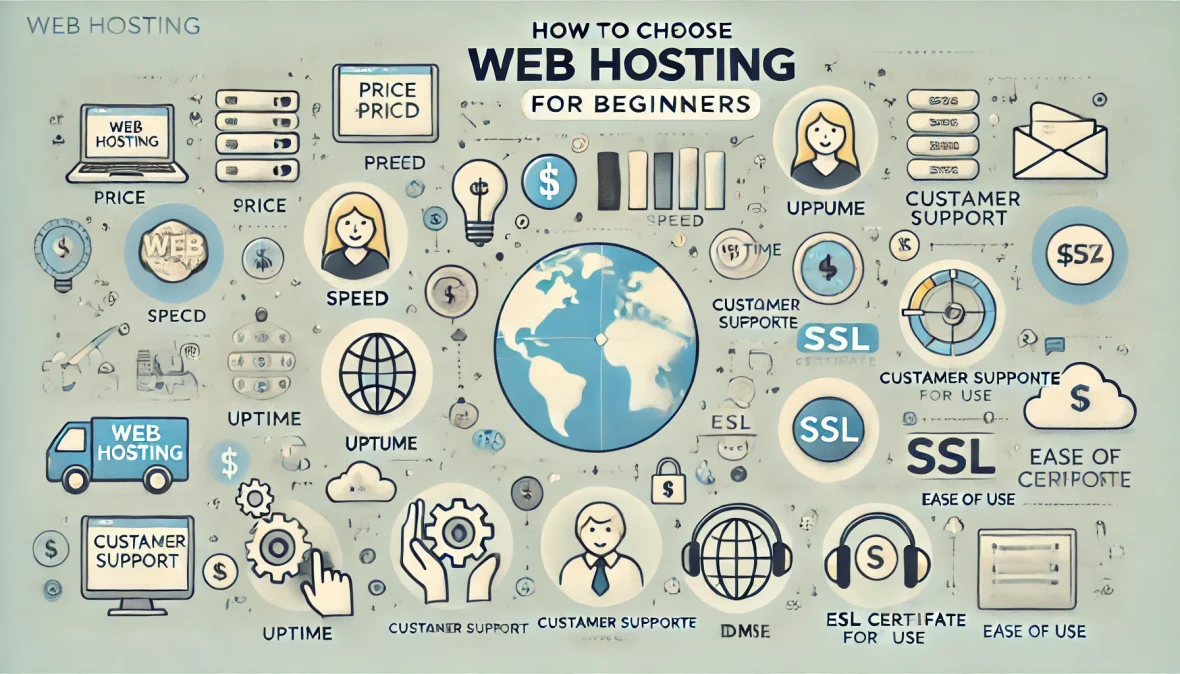
The 7 Things Beginners Really Need in a Hosting Plan
Now that you know the types of hosting available, how do you actually choose the right one? It’s not about flashy features or the lowest price—it’s about what you really need to get started confidently and safely.
Here are the 7 most important features to look for as a beginner:
✅ 1. Reliable Uptime (At Least 99.9%)
Why it matters:
If your website is frequently down, visitors (and potential clients) won’t wait—they’ll leave. Uptime is the percentage of time your site stays online. Look for 99.9% uptime guarantees or better.
Pro tip: Use uptime monitoring tools (like UptimeRobot) once your site is live to check your host’s performance.
⚡ 2. Fast Page Load Speed
Why it matters:
Site speed affects everything—user experience, SEO rankings, and conversion rates. Even a 1-second delay can lead to a 7% drop in conversions.
What to look for:
- SSD storage (faster than traditional HDD)
- Server location near your target audience
- Built-in caching or integration with CDN (like Cloudflare)
🔐 3. Free SSL Certificate
Why it matters:
SSL encrypts data between your site and visitors, showing the little padlock icon in browsers. It’s critical for trust and Google rankings.
Avoid hosts that charge extra for basic SSL—Let’s Encrypt is free and should be included.
🛠️ 4. Easy-to-Use Control Panel
Why it matters:
As a beginner, you need an intuitive dashboard to manage your site—install WordPress, set up emails, manage domains, etc.
Look for:
- cPanel (industry standard and beginner-friendly)
- Custom dashboards (like Hostinger, SiteGround) that are clean and easy to navigate
📞 5. Responsive Customer Support (24/7)
Why it matters:
Something will eventually go wrong—whether it’s a broken plugin, DNS issue, or email not working. Fast, helpful support is your safety net.
Best options:
- Live chat and ticket system
- Support available 24/7
- A well-organized knowledge base
🧰 6. Free Backups and Basic Security Features
Why it matters:
Mistakes happen. Sites get hacked. Plugins break things. Daily backups mean you can restore your site in minutes, not start from scratch.
Look for:
- Automated daily or weekly backups
- Malware scanning or server-level protection
- Firewall and brute force protection included
💰 7. Transparent Pricing (Intro + Renewal)
Why it matters:
Many hosts advertise $1.99/month, but after a year, that jumps to $7.99/month or more—and they don’t always warn you.
How to avoid it:
- Always check renewal rates
- See what’s included vs what’s an upsell
- Choose plans with upfront pricing, no hidden fees
💡 Summary Tip: If a hosting plan checks all 7 boxes, it’s a great starting point. If it only checks 3 or 4, look elsewhere—even if it’s cheap.
Common Hosting Features You Don’t Need (Yet)
When you’re just starting out, it’s easy to get overwhelmed by all the “extras” hosting companies try to sell you. Some of them sound fancy or even essential—but many are either unnecessary, overpriced, or can be added later (for free or cheaper).
Here’s a list of common features beginners don’t need right away:
❌ 1. “Unlimited” Bandwidth or Storage
Why you don’t need it yet:
Most beginner sites use very little bandwidth or space—especially if it’s a portfolio, blog, or business landing page. “Unlimited” usually means “unmetered with limits buried in the terms.”
Better option: Look for reasonable limits (like 10–30GB storage and unmetered traffic) with clear upgrade paths as you grow.
❌ 2. Dedicated IP Address
Why you don’t need it yet:
Unless you’re running a custom app or need advanced email authentication, you don’t need a dedicated IP. Shared IPs work fine for beginners using SSL and standard setups.
❌ 3. Paid SEO or Marketing Tools
Why you don’t need it yet:
Some hosts offer “SEO optimization” add-ons—but they’re often basic tips you can find for free on YouTube or blogs. Better SEO comes from good content, not overpriced tools bundled into hosting.
❌ 4. Extra Website Builders
Why you don’t need it yet:
If you’re using WordPress, Webflow, or any visual editor, you won’t use the host’s “builder.” Many of these are limited, clunky, and lock you into that host.
Use tools like:
- WordPress + Elementor
- Framer or Webflow
- Custom HTML/CSS if you’re building from scratch
❌ 5. Priority Support (at a Price)
Why you don’t need it yet:
Basic 24/7 support is usually enough for beginner websites. Unless you’re managing time-sensitive client projects, you don’t need to pay extra for faster replies.
❌ 6. Domain Privacy (Sometimes Optional)
Why you might not need it right now:
Domain privacy hides your personal info from public WHOIS records. It’s useful, but not always essential for your first site—especially if your registrar offers it free (many do).
✅ What to Do Instead:
- Start with basic, beginner-friendly hosting with core features only
- Avoid shiny upsells and bundles
- Add tools as you grow, not from day one
💡 Remember: You can always upgrade. Don’t pay for things you don’t understand or need just because they sound impressive.
Questions to Ask Before Choosing a Host
Choosing the right web host isn’t just about features or pricing—it’s about fit. Before you hit “Buy Now,” take a moment to ask these key questions. They’ll help you avoid hidden costs, technical headaches, and outgrowing your plan too soon.
Here are smart, beginner-friendly questions to ask (or check in the FAQ) before signing up:
❓ 1. Can I Upgrade My Hosting Plan Later?
Why it matters:
Your first site might be small—but what happens when you add a store, blog, or more client work?
Make sure your host allows easy plan upgrades without downtime. Look for shared → VPS or cloud upgrade paths.
❓ 2. What’s the Renewal Price After the First Year?
Why it matters:
Most hosts offer low “intro” rates (like $2.99/month), but jump to $8–12/month after year one.
👉 Check the small print and ask:
“How much will I pay after the promo ends?”
❓ 3. Can I Host More Than One Website?
Why it matters:
Some beginner plans only support 1 domain/website—which limits your growth.
Even if you’re starting with one site now, look for a host that supports multiple websites so you don’t have to buy a second plan later.
❓ 4. Does It Include a Free Domain? For How Long?
Why it matters:
Many hosts give you a free domain name—but only for 1 year. After that, you’ll pay the standard renewal fee ($10–$15+ per year).
Know whether the domain is yours to transfer, or if it’s locked to the hosting provider.
❓ 5. Is There an Easy Way to Install WordPress?
Why it matters:
If you’re using WordPress (most beginners do), your host should offer one-click installation from the control panel.
No one wants to install WordPress manually via FTP and MySQL as a beginner.
❓ 6. How Often Are Backups Taken?
Why it matters:
Don’t assume backups happen by default. Some providers only do weekly backups (or charge extra).
Ask if backups are:
- Daily or weekly
- Easy to restore
- Free or paid
❓ 7. Is Customer Support 24/7 and Human?
Why it matters:
Some “24/7 support” means bots or slow email replies.
Check if the provider offers:
- Live chat or ticketing system
- Real technical support, not sales reps
- Good reviews on support response time
❓ 8. Can I Cancel and Get a Refund If I Change My Mind?
Why it matters:
Some hosts advertise “money-back guarantee”—but only for certain plans or time limits (e.g., 30 days).
Ask:
“What’s your refund policy for shared hosting and domain registration?”
✅ Bonus Tip: Use a hosting comparison spreadsheet to track answers across 2–3 providers before deciding.
 Best Beginner-Friendly Hosting Providers (2025 Picks)
With hundreds of web hosting companies out there, it’s easy to feel overwhelmed. To help you get started faster (and avoid common traps), here are 5 trusted hosting providers that are ideal for beginners in 2025.
These options are beginner-tested, budget-friendly, and come with the core features you actually need—like SSL, backups, easy control panels, and great support.
🥇 1. Hostinger
Why it’s great for beginners:
- Extremely affordable starting price (often under $2/month)
- Modern, beginner-friendly dashboard (not cPanel)
- One-click WordPress installation
- Free SSL, weekly backups, and email hosting included
Best for:
👉 First-time website owners or freelancers with a small budget
🥈 Bluehost
Why it’s great for beginners:
- Officially recommended by WordPress
- One of the easiest onboarding experiences for new users
- 24/7 live chat support and helpful guides
- Free domain for 1 year + SSL
Best for:
👉 WordPress beginners and blog/portfolio creators
🥉 SiteGround
Why it’s great for beginners:
- Excellent customer support (especially for WordPress users)
- Fast loading speeds due to built-in caching and CDN
- Daily automated backups included
- Beginner-friendly tools and interface
Best for:
👉 Designers who want performance and reliability from day one
⚙️ 4. Namecheap Hosting
Why it’s great for beginners:
- Known for domain registration, but also offers solid, affordable hosting
- Free website builder included
- Very transparent pricing (cheap renewals)
- Easy cPanel access for site management
Best for:
👉 Those registering domains who want a simple hosting bundle
☁️ 5. Cloudways (for advanced beginners)
Why it’s great for beginners ready to scale:
- Managed cloud hosting with top providers (DigitalOcean, AWS, etc.)
- Incredible performance, flexibility, and security
- Beginner-friendly dashboard, though slightly more advanced than shared hosts
Best for:
👉 Web designers ready to manage multiple client projects or high-traffic sites
📊 Quick Comparison
| Hosting Provider | Starting Price | Free Domain | SSL | Backups | Panel Type | Best For |
|---|---|---|---|---|---|---|
| Hostinger | ~$2/month | ✅ (1 yr) | ✅ | ✅ | Custom Panel | Budget beginners |
| Bluehost | ~$3/month | ✅ (1 yr) | ✅ | ✅ | cPanel | WordPress users |
| SiteGround | ~$4/month | ❌ | ✅ | ✅ | Custom Panel | Fast + secure WP hosting |
| Namecheap | ~$1.58/month | ✅ (1 yr) | ✅ | ❌ | cPanel | Domains + basic website hosting |
| Cloudways | ~$11/month | ❌ | ✅ | ✅ | Custom Panel | Growing or client-based projects |
💡 Note: Prices change often based on promotions—check current offers on the provider’s website.
 Step-by-Step: How to Sign Up for Hosting (Beginner Walkthrough)
Signing up for web hosting can feel intimidating if it’s your first time—but don’t worry, it’s actually a simple process. Here’s a quick, step-by-step guide to help you go from “I have no idea” to “My website is live.”
🔧 Note: This example uses Hostinger, but the steps are very similar for Bluehost, SiteGround, and others.
🪜 Step 1: Choose Your Hosting Plan
- Visit the hosting provider’s website (e.g., hostinger.com)
- Choose a beginner-friendly plan (usually labeled Shared Hosting or WordPress Hosting)
- Compare options:
- Single plan = 1 website
- Premium plan = multiple websites, free domain, better value
✅ Recommended: Choose a 12-month or 24-month term to lock in lower pricing.
🪪 Step 2: Register Your Domain Name
- During checkout, you’ll be asked to choose a domain
- Type in your preferred name (e.g.,
yourname.com) - Hosting providers usually offer the first year free
- If you already have a domain, you can enter it and point it to your new hosting later
📝 Tips for choosing a domain:
- Keep it short, simple, and easy to spell
- Avoid numbers and hyphens
- Use a
.comif available
💳 Step 3: Create Your Account and Pay
- Enter your email address and create a password
- Select payment method (credit card, PayPal, etc.)
- Review the total cost (especially renewal rate)
- Complete the checkout
⚠️ Uncheck unnecessary add-ons like “SEO tools” or “Priority Support” unless you really need them.
⚙️ Step 4: Set Up Your Website
After purchase, you’ll usually be taken straight to your hosting dashboard.
Most beginner hosts offer an automatic setup wizard—it looks like this:
- Choose your website type (Blog, Portfolio, etc.)
- Select your platform (WordPress is the most popular)
- Pick a template (optional)
- Click “Install”
🎉 Done! Your WordPress website will be live in a few minutes.
🔐 Step 5: Secure Your Site (SSL & Backups)
- Activate your free SSL certificate (usually one click from the dashboard)
- Set up automatic backups if they’re not enabled by default
- Optional: Add a security plugin like Wordfence (for WordPress)
📩 Step 6: Set Up Your Email (Optional)
Most hosting plans include free professional email addresses like you@yourdomain.com.
In your hosting panel, look for:
- “Email Accounts” or “Email Management”
- Create your address and password
- Access it via webmail or connect it to Gmail/Outlook
🌍 Step 7: Start Customizing Your Website
Log into WordPress at:
yourdomain.com/wp-admin
From there you can:
- Install themes and plugins
- Add pages (Home, About, Contact)
- Write your first blog post
- Customize menus, headers, and footers
🧩 Next Steps (Optional):
- Set up Google Analytics or Search Console
- Create a logo using Canva or Looka
- Start optimizing your site for SEO
- Plan a launch post on social media
✅ That’s it! You’ve now signed up for hosting, installed WordPress, and secured your site—all without needing to touch code.
Conclusion: Final Tips for Picking the Right Hosting Provider
Choosing the right web hosting as a beginner doesn’t have to be confusing. You don’t need to understand every technical detail—you just need a reliable provider that fits your current needs, not someone else’s checklist.
Let’s recap what really matters:
✅ Start simple with shared or managed WordPress hosting
✅ Look for essentials like free SSL, good support, and clear pricing
✅ Avoid overpaying for features you don’t need (like “unlimited everything” or premium SEO tools)
✅ Choose a host that grows with you, so you can upgrade when your site or business grows
The truth is, your first website is a learning experience—and your host should support that journey, not complicate it.
If you’re still unsure, you won’t go wrong with beginner-friendly hosts like Hostinger, Bluehost, or SiteGround — each offers great value, helpful dashboards, and the key features we’ve covered in this guide.
🔁 What to Do Next:
- Pick a hosting provider from the recommended list
- Register your domain and launch your site
- Start building with confidence – your hosting won’t hold you back
💡 Remember: You can always switch later if you outgrow your plan. The important thing is to get started.